Telegram's "Too many attempts, please try again later." means Telegram has paused new logins for your phone number after too many code requests or login attempts. It is a rate limit, not a ban: a banned number gets "This phone number is banned." instead. If the Android app or Telegram Web shows a time, treat it as your minimum wait. If no time is shown, Telegram's help pages give ordinary users no length at all.
What to do first after "Too many attempts"
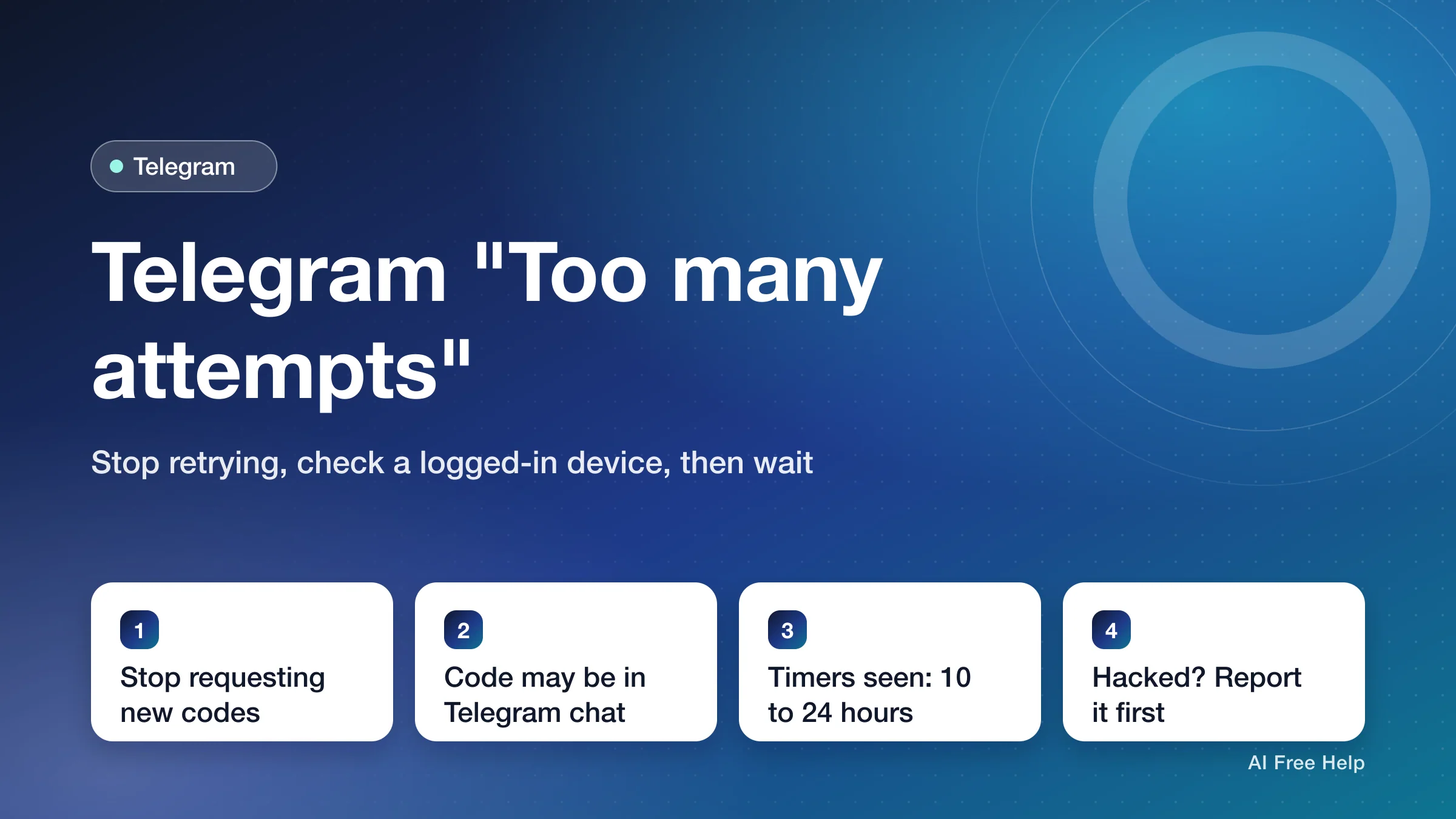
For Telegram's "Too many attempts": stop retrying, check the Telegram chat on a logged-in device, rule out a hijack, wait, then try once.
- Stop requesting codes and stop retrying. Don't delete and reinstall Telegram, and don't move to another phone or app to try once more. There is no evidence that reinstalling or restarting the phone clears the message.
- Open Telegram on any phone, tablet, computer or browser where you're still logged in. Open the chat named Telegram with a blue check and look for the newest login code. Telegram's FAQ says codes can go there instead of SMS if you've used Telegram on another device recently, and your new phone then says "We've sent the code to the Telegram app on your other device." While you're there, check Settings > Devices for sessions you don't recognize.
- Check whether someone else logged you out. If Telegram logged you out of every device without you doing it, or codes go to an email or device you don't know, treat it as a hijack. Go to Hacked and stuck on "Too many attempts"? below and report it now instead of only waiting.
- Wait. If the Android app or Telegram Web shows a time ("please try again in …"), wait at least that long. If there's no time, leave Telegram closed for at least 24 hours. That is the safest choice, not a promise: for normal logins, most people who waited were still blocked afterward.
- Make one attempt in the official app: enter your number once, wait for the code, and type the newest code once. If the message comes back, stop for another full day instead of retrying the same evening. A finished timer can be followed by a new one, so one careful attempt is better than several quick ones.
- If you're still blocked after about a week, write to Telegram. Still blocked after a week? below has the form and what to expect.
How long does "Too many attempts" last on Telegram?
Telegram doesn't publish how long "Too many attempts" lasts for ordinary users. Timers people saw in the Android app, Telegram X or Telegram Web ran from about 10 to 24 hours. The limit is on logging in with your number: Telegram's docs count login attempts per phone number and don't describe it as a restriction on the account itself.
Most people who waited were still blocked afterward. When waiting did clear the message, a wait of about a day was common, and others took several days to a week. It is also common to still be blocked a week or more later, and the longest waits ran to a month or more.
A timer can also start over. After waiting one out, trying again can bring a new timer instead of a code, and Telegram doesn't say why.
Telegram's User Authorization docs, written for app developers, say a number that runs out of daily login attempts gets an error "until the next day." For most people logging in normally, the block lasted longer than that. Telegram's Error handling page describes the limit as too many attempts "with the given input parameters," and its example is "a large number of text messages (SMS) for the same phone number." Telegram doesn't say whether your device or network also counts.
Hacked and stuck on "Too many attempts"?
If someone else took over your Telegram account, report the hijack now instead of only waiting, because few owners of hijacked accounts get them back. Use any device that's still logged in to lock the attacker out.
- If a phone, tablet or computer is still logged in, go to Settings > Devices (or Privacy and Security > Active Sessions) and end every session you don't recognize. Then turn on Settings > Privacy and Security > 2-Step Verification with a recovery email. These are the steps the Telegram FAQ gives for a stolen phone. A fresh login after the wait may not be enough, because the attacker's session can still be active and log you out again.
- Report it through Telegram's support form, which asks for a description of the problem, your full legal name, your email and your phone number. Say that the account was hijacked, when you were logged out, and that you still have the SIM. The FAQ also names @SmsTelegram on X as Telegram's official account for login problems.
- Ignore anyone who offers to recover the account for you. The FAQ says Telegram will never ask for your 2-Step Verification password or any verification code, and that it has no other support accounts on social media.
- Warn your contacts through another app. An attacker who controls your account may ask your contacts for money or send them links.
- If the attacker set a 2-Step Verification password you can't recover, your remaining option is Reset account, which deletes all your chats, messages, media and files. Telegram's app says a password-protected account that's still active is deleted only after 1 week, and the attacker's session can cancel it. You then see "Your recent attempts to reset this account have been canceled by its active user. Please try again in 7 days." Owners who reset or deleted the account were often able to use their number again.
What to expect: most owners of hijacked accounts who waited were still blocked afterward. When the message did clear, the attacker's session often logged them out again, and few owners got their accounts back.
Telegram doesn't say whether an attacker's repeated code requests can keep your number blocked. Hijacks like this can start with a phishing link, such as a request to vote in a contest or to scan a Telegram QR code, or with malware or a stolen login session on a computer.
Too many wrong 2-Step Verification passwords?
Stop guessing your Telegram 2-Step Verification password and wait. When you can try again, tap Forgot password? to get a 6-digit code at your recovery email. If you never set a recovery email, you can only remember the password or reset the account.
Telegram's developer docs say only "You have tried logging in too many times." for this kind of limit and don't mention passwords. The password step comes from the iPhone app's text, which uses "Too many attempts, please try again later." there too.
If Telegram is still open on another device, change the password from there instead: in Settings > Privacy and Security > 2-Step Verification, choose Forgot password?. Telegram's Two-factor authentication docs say a reset started from a logged-in session runs on a 7-day timer and doesn't delete the account. From a device that isn't logged in, Reset account deletes everything, and a password-protected account waits 1 week before it's deleted.
Same limit in other words, or a different Telegram message?
When you request a login code, Telegram's "Too many attempts, please try again later." can appear in other wordings, and for each of them you do the same thing: stop requesting codes, check the Telegram chat on a logged-in device, then wait. Telegram Desktop says "Too many tries. Please try again later." The Android app can add the time left ("Too many attempts, please try again in …"), and Telegram Web may show the wait in seconds as FLOOD_WAIT. You may also see it quoted as "Too many attempts, try again later" or "Sorry too many attempts, please try again later."
The iPhone app shows the same "Too many attempts, please try again later." when you type your 2-Step Verification password. That case needs different steps: stop guessing the password, wait, then tap Forgot password?, as described in Too many wrong 2-Step Verification passwords?.
The messages below look similar but need a different first step. Compare the exact words on your screen with the first column.
| What you see | What it is | What to do first |
|---|---|---|
| "Sorry, you have deleted and re-created your account too many times recently. Please wait for a few days before signing up again." | Official: a separate limit. Telegram's apps show this sentence for the server error PHONE_NUMBER_FLOOD, not for "Too many attempts" | Wait a few days, as the message says. See Telegram "deleted and re-created … too many times" |
| "This phone number is banned." | Official: a ban, not a rate limit (Telegram's app text) | Appeal the number ban through Telegram’s Help button |
| A screen asks you to buy Telegram Premium before it sends an SMS code | Official: Telegram's SMS fee, not this limit | See Telegram SMS Fee: What to Try Before You Pay |
| "Too many attempts. Try again" while opening a lot of group or channel links | It may be a limit on opening links, not on logging in | Stop opening links for a while |
Getting FLOOD_WAIT or PHONE_NUMBER_FLOOD from the API?
If your own program gets FLOOD_WAIT_X while requesting a Telegram login code, it has hit a flood limit, the kind the Telegram apps report as "Too many attempts, please try again later." FLOOD_WAIT_X tells you the wait: it means wait X seconds, so stop calling auth.sendCode until then and reuse your saved session instead of logging in again. PHONE_NUMBER_FLOOD is a separate auth.sendCode error, "You asked for the code too many times." Telegram's docs don't say which app message it matches, but the official Android, iPhone and Desktop apps show it as "Sorry, you have deleted and re-created your account too many times recently", not as "Too many attempts".
- Telegram's User Authorization docs say each number gets a limited number of login attempts per day. They recommend testing login flows on the test servers first "to avoid reaching flood limits," and note that the phone number that registered the api_id gets more generous limits. Test numbers in the 99966XYYYY format work only on the test servers.
- Waits developers reported ran from under 5 minutes to 24 hours, and waits of 21 to 24 hours were common.
- Telegram's docs don't say whether the limit also counts your IP address.
Still blocked after a week? How to reach Telegram
To reach Telegram about a login block, use the login form at telegram.org/support and, if you use X, a direct message to @SmsTelegram. Those are the two channels the Telegram FAQ lists for login problems. The in-app Settings > Ask a question option needs a logged-in account, and the FAQ says that support relies on volunteers.
Telegram lists no response time, and people who wrote in rarely report hearing back. Be wary of accounts that claim to be Telegram support and ask you to message them privately. The Telegram FAQ says Telegram has no other support accounts on social media, so don't send a login code or password to anyone.
Which fixes for "Too many attempts" actually help?
Waiting is the main thing that clears Telegram's "Too many attempts." The other fixes passed around online, including in AI search summaries and video guides, are weaker than waiting or unproven:
- Stopping and waiting: the main thing that clears the message, but it isn't enough for most people who try it. Plan on at least a day, then make one attempt (steps 4 and 5).
- Clearing the app's cache or data: suggested in AI summaries and videos, but nobody reports it working.
- Switching between Wi-Fi and mobile data, or turning off a VPN: no evidence it changes anything.
- Telegram X or Telegram Web: Telegram X works for some people and not others. Try it only after the wait, because it is still a login attempt on your number. Telegram Web, like another phone or computer, didn't get ordinary users around the limit.
- Writing to Telegram support: still worth doing for a hijacked account, but people who wrote in rarely report hearing back.
- Connecting through a proxy: this site doesn't recommend it. You can still be blocked with a proxy on, and each try through it is one more login attempt on your number that can start a new timer.
Frequently asked questions
Has Telegram banned my number?
No, "Too many attempts" isn't a ban. Telegram's auth.sendCode docs list a ban (PHONE_NUMBER_BANNED) as a separate error from the limits on requesting codes and logging in (PHONE_NUMBER_FLOOD and PHONE_PASSWORD_FLOOD), and a banned number sees its own message, shown in the table of similar Telegram messages.
Can I lift the limit early?
Telegram's help pages give no way to lift "Too many attempts" early: waiting and then trying once is the main way it clears. Other shortcuts, such as clearing the cache or switching to Telegram X, are compared in which fixes actually help.
Does Telegram have a daily limit on login attempts?
Yes, per phone number, but the number isn't fixed. Telegram's User Authorization docs, written for app developers, say each number gets a certain number of login attempts per day, "e.g. 5, but this is subject to change." How long the block lasted for ordinary users is covered in how long "Too many attempts" lasts.
Is "Too many attempts" different on iPhone and Android?
No, both apps show "Too many attempts, please try again later." when you request a login code, and the small differences in wording are listed under other wordings of the same limit.