"This service has been disabled in this account for violation of Terms of Service. Please submit an appeal to continue using this product." means Google has suspended this account from Antigravity and the Gemini coding services that share its backend. The Antigravity Terms of Service name only "your Antigravity and/or Gemini CLI accounts" as what gets suspended, not your whole Google account. Google staff say each account can be reinstated through the appeal only once, so the tool or use that caused it must stay stopped after you're back.
How to appeal the Antigravity suspension
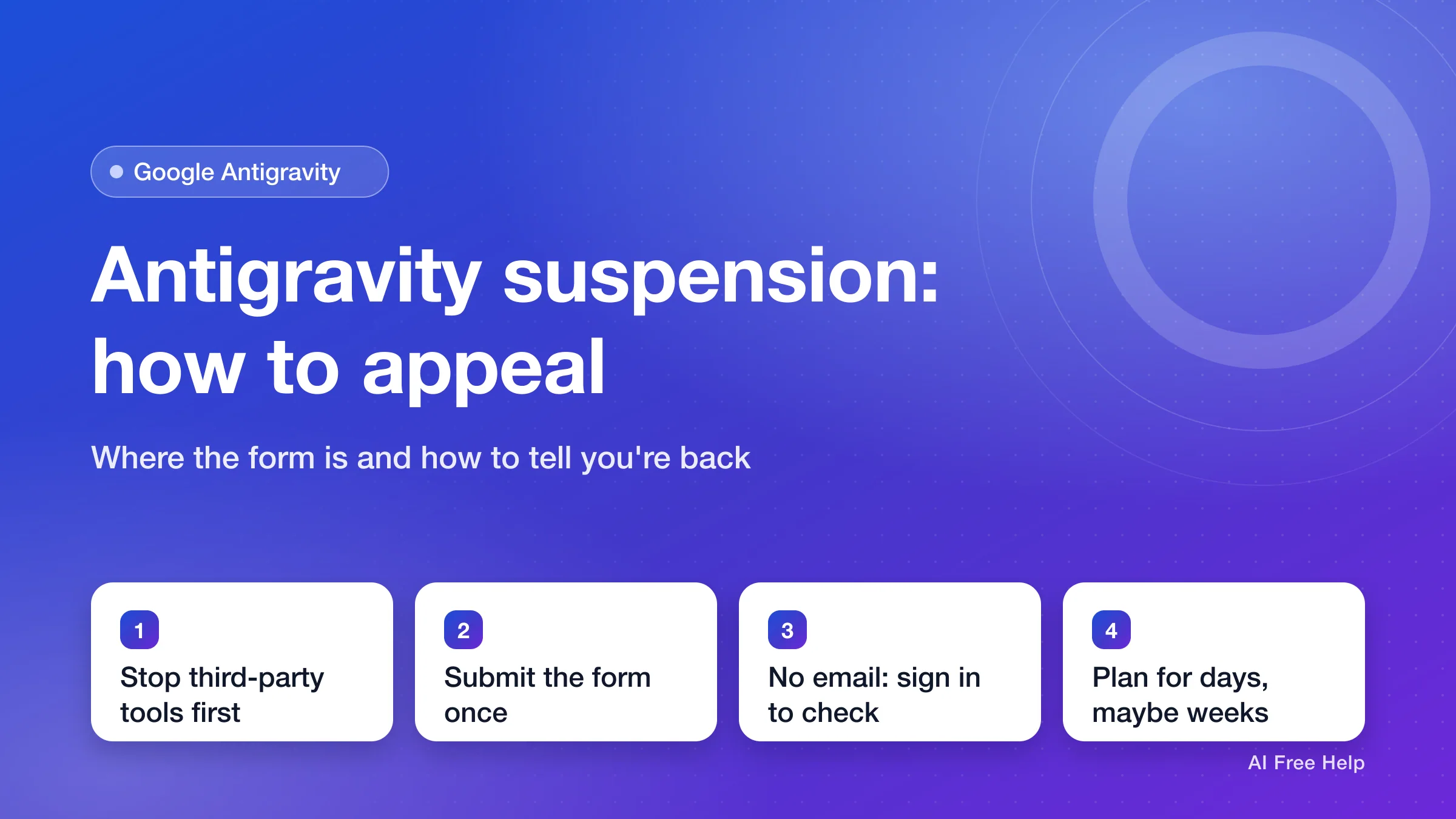
To appeal "This service has been disabled in this account" in Antigravity, stop third-party access, submit Google's form once from the suspended account, then sign out and back in to check.
- Quit any third-party coding agent, plugin, proxy or script that signs in with your Antigravity account or runs
agy(the Antigravity CLI) for you, and stop it from starting on its own. Then remove its access on your Google Account's third-party connections page. Do both, because Google staff on the forum say revoking access "does not stop a local tool that is still running." Google staff list the form first, but do this step before it, because reinstatement is automatic and a tool still using your login can trigger a new suspension right after you're back. If you used only Google's own Antigravity app, IDE or CLI, go to step 2. - Click Submit Appeal in the Antigravity error. If there's nothing to click (the Antigravity CLI prints the message as plain text), open Google's appeal form in a browser. Its full name is "Appeal Form — Terms of Service suspension for Antigravity, Gemini CLI, and Gemini Code Assist." It's the same form Google staff link on the forum and the one behind the
appeal_urlin the error's raw reply. The link also appears when you sign in to Antigravity, or sign out and back in. - Make sure the browser is signed in to the suspended Google account. The form has no box to explain your case. It shows one statement about what breaks the terms, and you tick Yes, I understand. The tick is required, and the form doesn't ask what you did. It also asks for an email address, and Google staff say to enter the suspended account's own address.
- Submit once. You'll see "Thanks. We will review your submission within 24 - 72 hours." Google staff say not to submit again, and that no confirmation or decision email follows.
- To check, sign out of Antigravity, sign back in and send one prompt. Keep checking this way. If it still fails when you expect to be back, quit and reopen the app, or reinstall it, before you assume you're still blocked.
- If your account is managed by your work or school (Google Workspace, Google Cloud or Gemini Enterprise), skip the form and contact your administrator or Google Cloud Support. Google staff on the forum name this route for managed accounts. So do the Antigravity CLI maintainers: managed accounts go to their administrator.
What you were using when Antigravity was suspended, and what changes
Whatever you were using when Antigravity disabled the account, the appeal is the same form, submitted once. These cases need one more step or a different expectation:
- Only Google's own Antigravity app, IDE or CLI. You're not the only one: many people suspended in November 2026 say they used only Google's own clients. Google hasn't said what triggers the suspension. Timing guesses that circulate online (a new model launch, a model switch, a VPN change) are unconfirmed, so don't change your setup because of them. Use the same form. It doesn't ask what you used, and Google staff say processing is automatic.
- A third-party client or plugin signed in with your Antigravity account (OpenClaw, OpenCode, Claude Code or similar). Google's terms and FAQ name this as a breach (see "Which uses does Google say break the Antigravity terms?" below). Remove the tool and its access as in step 1. Don't use it again on the same login after you're reinstated.
agyrun from inside another coding agent or app. The Antigravity FAQ says this "is not supported under consumer plans." Stop the wrapper before you appeal.- Your own scripts sent requests with your Antigravity login. The terms forbid "using the Service in connection with products not provided by us." Stop the scripts first.
- Several of your accounts were disabled at once. The FAQ says "automating account rotation" isn't supported on consumer plans. Submit the form separately from each suspended account, signed in to that account.
These are all the same Antigravity suspension and take the same steps: the Antigravity CLI's "Eligibility check failed: PERMISSION_DENIED (code 403):" or "PERMISSION_DENIED (code 403):" in front of the message, a "⚠" in front of it, or an Error ID after it. If the line after "Eligibility check failed" is anything other than "This service has been disabled in this account…", Antigravity is reporting a different eligibility problem, and the appeal form isn't meant for it. Third-party clients log the raw reply, with "reason": "TOS_VIOLATION" and an appeal_url labeled "Submit Appeal". In February 2026 the message ended with "If you believe this is an error, contact" and an email address. That version came before the appeal form existed, and the form is the route now.
Is my whole Google account suspended?
Not from Antigravity's "This service has been disabled in this account" message. In reports of it, the Google account itself and the Gemini web app kept working. A whole-account suspension comes with a different message (see below).
The Antigravity Terms of Service describe the penalty as "suspension or termination of your Antigravity and/or Gemini CLI accounts." In the Gemini CLI announcement on Antigravity bans, the maintainers say that because of where abuse prevention sits, "bans for Antigravity usage also blocked access to Gemini CLI and Gemini Code Assist." Users commonly report exactly that. Since June 18, 2026, Gemini CLI and the Gemini Code Assist IDE extensions no longer serve individual Google AI Pro, Ultra or free accounts at all (Gemini Code Assist consumer accounts). So on a personal account you'll now see this in the Antigravity app, IDE or CLI.
An Antigravity CLI maintainer explains why the CLI looks partly working: sign-in and the model list aren't checked, so the CLI starts normally and the first prompt fails whichever model you pick.
A suspension of the whole Google account is a different thing, with a different message and its own Start Appeal flow. Google Drive's review request is a separate process again. Neither handles this Antigravity message. Google staff accept appeals for it only through the Antigravity form, and when the Google account itself is fine there is no Start Appeal button to press.
Which uses does Google say break the Antigravity terms?
Signing in to a third-party tool with your Antigravity account, running Antigravity inside another coding agent, rotating accounts automatically and reselling access are all named on Google's own pages.
- The Antigravity Terms of Service: "Using third party software, tools, or services to access the Service (e.g. using OpenClaw with Antigravity OAuth) is a breach of this Agreement."
- The Antigravity FAQ names "Claude Code, OpenClaw, or OpenCode" as third-party software you can't use with your Antigravity login. It also says "Wrapping
agyinside third-party coding agents or applications, or automating account rotation, is not supported under consumer plans." - The appeal form adds a second practice: "Resale of AI Developer Tools services."
So an OpenCode plugin or an OpenClaw setup that signs in with your Antigravity account is covered by the first point, whatever the plugin is called. It is also what most suspended users describe having done. To use a third-party coding agent with Gemini, the form recommends "a Vertex or AI Studio API key rather than a product login," and the FAQ suggests a Gemini Enterprise or Google AI Studio API key. If you use the same tool again on the same login after being reinstated, that is the repeat the form warns about.
How long does the Antigravity appeal take?
Google's own figures for the Antigravity appeal are at most 72 hours, but Google gives three different time frames, and real waits can be much longer. Most people who submitted the Antigravity appeal form were still waiting when they last posted. Among people who got back in after the Antigravity appeal, many were back within a few days of the form, and others waited about ten days to three weeks.
| Who says it | Time frame |
|---|---|
| The appeal form, after you submit | "We will review your submission within 24 - 72 hours." |
| Google staff on the Google AI Developers Forum, November 2026 | "approximately 48 to 72 hours" |
| Gemini CLI maintainers, February 2026 announcement and an April 2026 reply | "within a day or two"; "a day or two once filled out" |
Google staff say not to submit the form again, even past 72 hours, and to keep checking by signing out and back in. Many people who submitted the Antigravity appeal form more than once were still disabled when they last posted. Among people still waiting on an Antigravity appeal, several weeks with no change is common, so plan for days to weeks, not 72 hours.
Google has also changed its answer on email. The February 2026 announcement said you'd "receive an email," but Google staff now say no confirmation or decision email is sent. Many people who mention email about an Antigravity suspension say they got none, so an empty inbox tells you nothing about your appeal.
What gets Antigravity access back, and which advice to ignore
The Antigravity appeal form is the only step anyone has credited with bringing access back, apart from a one-time system-wide unban Google ran in March 2026. The other routes people try either send them somewhere else or get no human reply.
- Submitting the appeal form once: the one route that works, but not a guarantee (see how long the Antigravity appeal takes).
- Removing the tool and revoking its access: needed before the form (step 1), not a fix on its own.
- Contacting Google One support by chat, phone or ticket, or sending an email: doesn't help. Google staff say Google One support has no access to Antigravity suspension status. Nobody reports a human reply to email, and current messages no longer give an email address.
- Posting your Error ID on the developer forum for a manual review: doesn't help, although AI search summaries suggest the forum. Google staff say the forum "cannot manually review" these suspensions (Google staff: the forum can't review these suspensions).
- A Google Drive review request: AI search summaries suggest it, but it is a separate process for Google Drive. Google staff accept appeals for this Antigravity message only through the Antigravity form.
- Waiting for Google support to review it by hand: AI search summaries suggest this too, but Google staff say processing is automatic.
What if Antigravity is suspended again after a successful appeal?
A second suspension after a successful appeal is the one case where the Antigravity appeal form won't get you back in. Google staff on the forum say "Each account can only be reinstated through the appeal form once, so a second form submission will not restore access."
That "only once" rule comes from Google staff, not from the form. What you agree to on the form is "If my suspension has been lifted, I acknowledge that repeated violations will lead to a permanent suspension." The Gemini CLI announcement says an account flagged "for a second violation of ToS" will be permanently banned.
A second suspension can come fast, from one prompt later to the next day, and nobody has reported a second appeal working. Google staff say that revoking access "does not stop a local tool that is still running," so stop the tool itself, not only its access. If your account is managed by an organization, your administrator and Google Cloud Support are the only other route Google names. If this is your first suspension, make sure nothing still uses your login before you sign back in.
Cancelling Google AI Pro or Ultra while Antigravity is suspended
To stop paying for Google AI Pro or Ultra while Antigravity is suspended, cancel it through Google One, like any Google One plan. On a computer, the Google One help page says to go to Google One, click Settings > Cancel membership, then click Cancel membership again to confirm. Your benefits last "until the end of the billing cycle." The page's refund section says "In most countries or regions, Google storage plan purchases are non-refundable," and purchases through Google Play or the App Store follow those stores' refund rules.
Google hasn't published whether time lost to an Antigravity suspension can be refunded, and nobody has reported getting a refund for it.
Frequently asked questions
I only used the official Antigravity client. Why was I suspended?
Google hasn't said what triggers the Antigravity suspension, and many people suspended in November 2026 say they used only Google's own app, IDE or CLI. The appeal is the same form, submitted once (what changes for official-client users).
How do I get Antigravity unbanned?
Submit the Antigravity appeal form once, then check by signing out and back in, because there is no other official route for personal accounts (how to appeal the Antigravity suspension). Google staff say a second reinstatement isn't possible (suspended again after an appeal).
Is there an Antigravity support email for suspensions?
No. The appeal form is the only route Google staff name for Antigravity suspensions, and no Google help page lists an email address for them. The one address on the Antigravity terms page is for data deletion requests, not appeals. The February 2026 version of the message gave a feedback address.
Where do I submit an appeal when the error has no appeal link?
Open Google's appeal form in a browser signed in to the suspended account, as in step 2 of the Antigravity appeal.